

Create
Call create a VPP program. The program starts inDRAFT, private to you. display_name, currency_code and estimate are required.
currency_code is the currency of estimate.amount and of every reward rate. Set it on create, because it cannot be changed afterwards.
Estimate
estimate is the figure the customer sees before they join: amount for one period (YEAR or MONTH), and optionally the dispatch_events_per_month it assumes. The copy follows managed: bill savings for a managed tariff, earnings otherwise.
Terms
terms holds what you and the customer are bound by after they join.
The enrollment keeps a copy of the
terms it joined with. A change to terms applies only to enrollments made after it.
Rewards
Each entry inrewards has a basis and a rate, in the program’s currency_code. A basis appears at most once.
- A
FIXEDreward follows calendar periods, pro-rated by the days the enrollment isACTIVE. COMMITTED_KWHpays whatever the device then delivers, and nothing for a commitment the customer opted out of.- A listed VPP program needs at least one reward before it can go
LIVE(422terms_required). A managed tariff may have none.
Eligibility
eligibility decides which devices are offered the program: oem_ids, device_types, an optional zone_id, and the minimums min_storage_capacity_kwh and min_export_power_kw. Omit oem_ids to enable every OEM on your account.
telemetry_requirements sets the sampling a device must sustain, with a minimum of 60 seconds.
While its state is unchanged, a device sends a heartbeat. Flatpeak sets the heartbeat at three times
state_interval_seconds, and never below 300 seconds.
Each OEM declares the finest sampling its fleet can sustain. A program that samples finer is not offered to that OEM’s devices.
Enrollment settings
Managed tariffs
With a managed tariff you supply the electricity and run the device with plans. Plans are accepted only under a managed program.- Set
managedtotrue. Your account must be set up to supply energy. - When a customer joins, your tariff replaces theirs. Create it as a device tariff, with the enrolled device’s
device_idandlocation_id.
Sign-up from an OEM app
A listed managed tariff appears on the OEM app’s Programs page, and the customer signs up for it on your site. Consent is the last step, after the customer has read your offer and signed up.-
Set
enrollment.signup_urlto your sign-up page. A listed managed program cannot goLIVEwithout it (422signup_url_required). -
The customer chooses your tariff in the OEM app, and Flatpeak opens that URL with three query parameters. At this point you hold no consent, no enrollment and no device.
- Sign the customer up, and keep the three values with their record.
-
Create a Connect session with the same
oem_idandprogram_id, addsignup_reference, and opentarget_urlas in Connect. The OEM app opens Connect on the device the customer started from, so they do not pick it again. -
The customer grants consent and Flatpeak creates the enrollment. On
device.connect, create the tariff for the device, which clears theAWAITING_TARIFFstep.
signup_reference works once, for 30 days. It identifies nobody on its own: the device reaches you only after the customer signs in to the OEM app and consents. If the reference is missing, used or expired (422 signup_reference_invalid), create the session without it, and the customer picks the device in the OEM app.
An unlisted managed tariff needs no enrollment.signup_url: the customer starts in your app.
Publish
RequestLIVE with update a VPP program. program.update fires on every status change.
PAUSED keeps enrolled devices and stops new enrollments. Editing a live program’s customer-facing copy or estimates sends it back for OEM approval. Flatpeak decides which devices see a live program, so you cannot target individual customers.
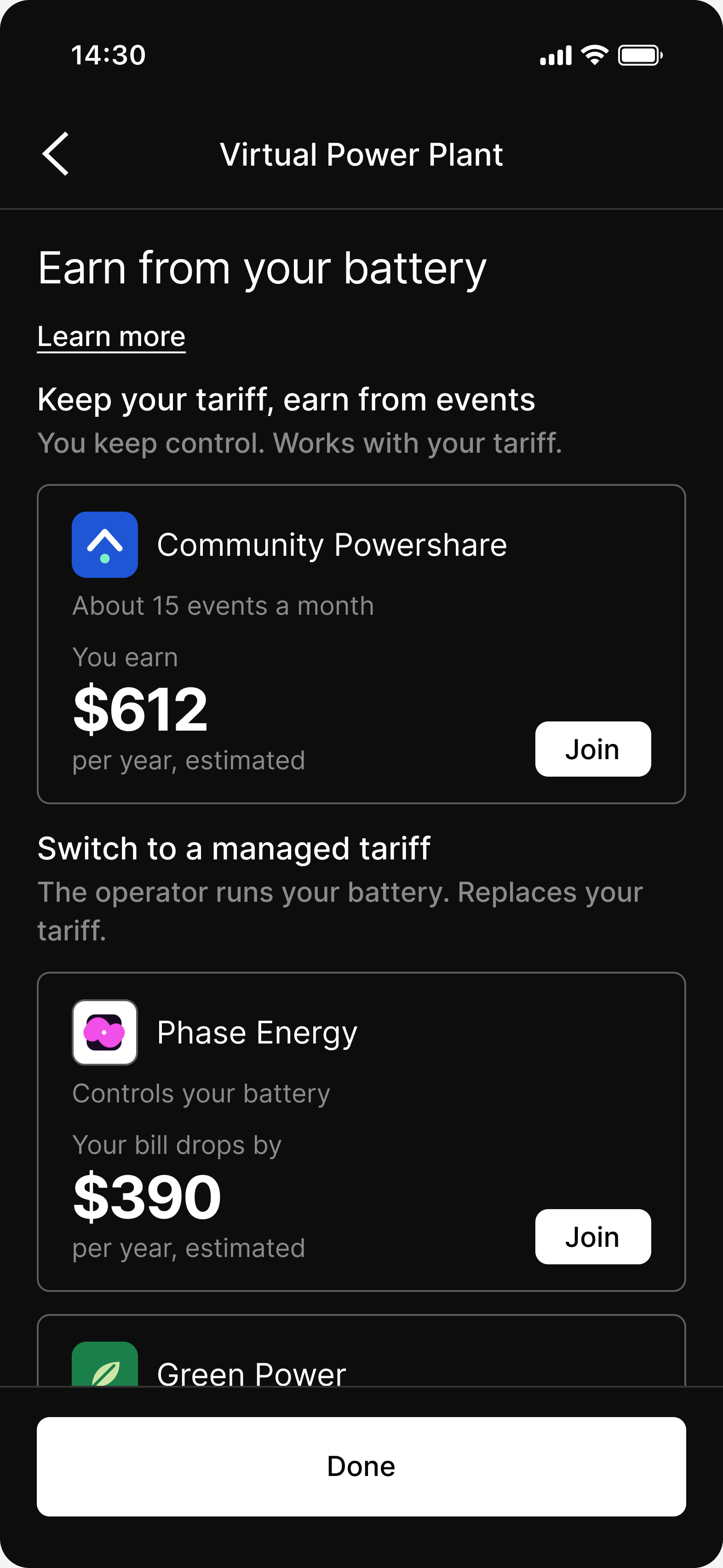
A listed program in Connect
Enrollments
Flatpeak approves an enrollment once it passes consent, tariff, telemetry and the dispatch test. Withenrollment.approval_required, it waits at step AWAITING_APPROVAL for you. See Enrollment states for the lifecycle and your two actions.