

Integrate
Create a session
Call create a Connect session from your backend. A session launches Connect once without exposing your secret key, so create one for each launch, even for the same customer. It expires at
time_expiry.Launch Connect
Append the session The OEM app opens if it is installed; otherwise the link opens in a browser.
id to target_url as the connect_session query parameter and open the URL:The customer completes Connect
- Signs in with their OEM account. The OEM hosts this step and you cannot customize it.
- Grants consent: the
TELEMETRY,CONTROL,LOCATIONandSETTINGSscopes. - Confirms the program, and connects a tariff if the location has none.
- Returns to your
callback_url. Canceling sign-in or declining consent also returns there.
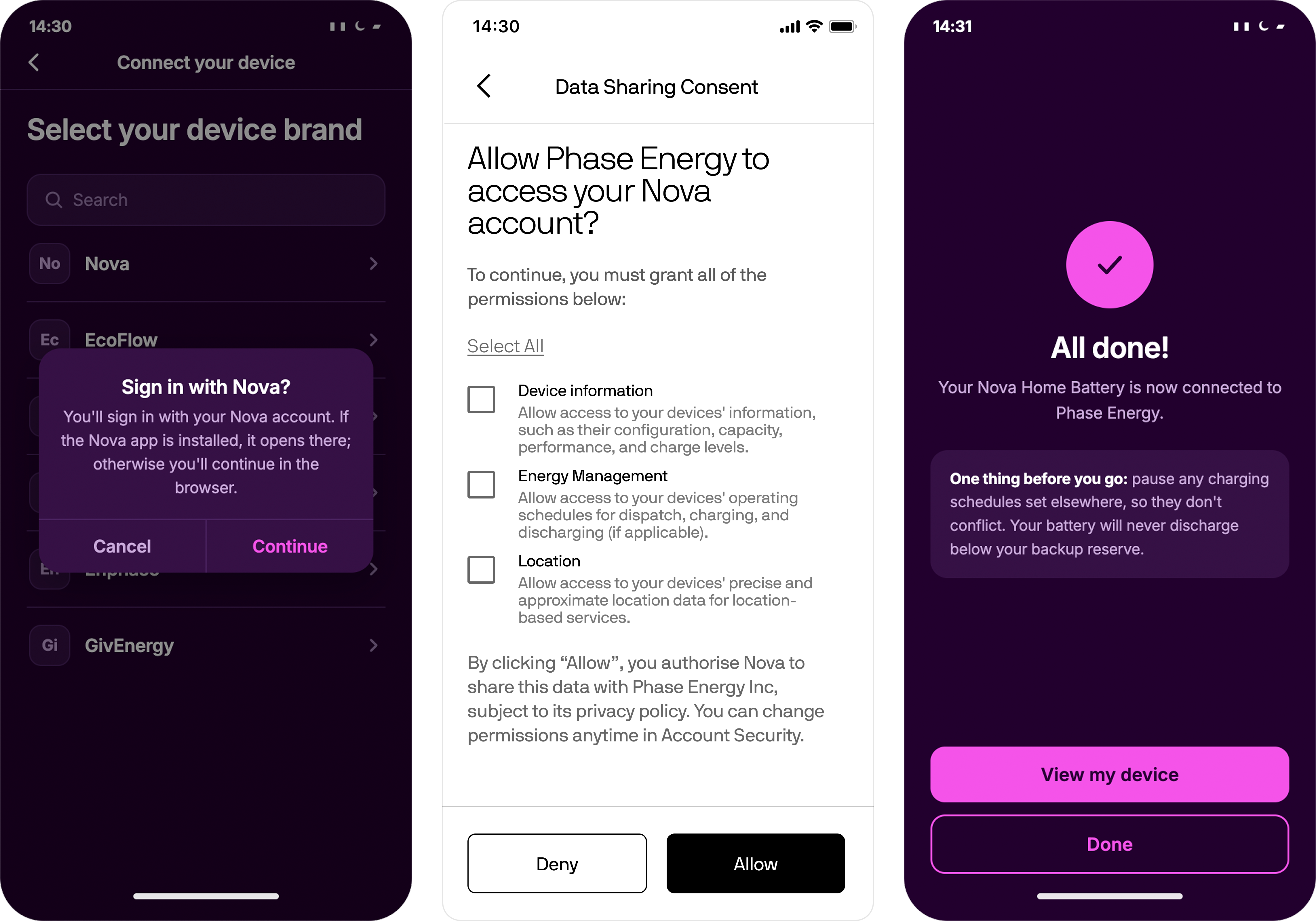
Left and right: your app. Middle: the OEM app or web portal.
Handle the callback
The customer returns with the session ID in the
connect_session query parameter. Retrieve the Connect session and read device_id, which is null if the customer left without connecting a device. Store the ID against your customer record.Confirm the connection
Retrieve the device and check
consent_scopes. Flatpeak creates the enrollment when the customer confirms. Read its enrollment_state from the Enrollments API: PENDING until onboarding completes, then ACTIVE.For a server-side signal, handle the device.connect event.Disconnect and reconnect
A customer can also ask to leave from the OEM app. That request waits for your approval: see requests to leave.
The customer can withdraw consent, and dispatch stops at once. The Fleet API has no call for it, so your app cannot do it for them.
device.update fires, the enrollment is suspended with CONSENT_REVOKED, and the withdrawal is recorded in consent history. Consent does not expire. To restore it, the customer completes Connect again.
Company details
GDPR and other data protection laws require you to tell the customer who accesses their device data and how it is used, for each consent scope. Enter these in Console > Compliance: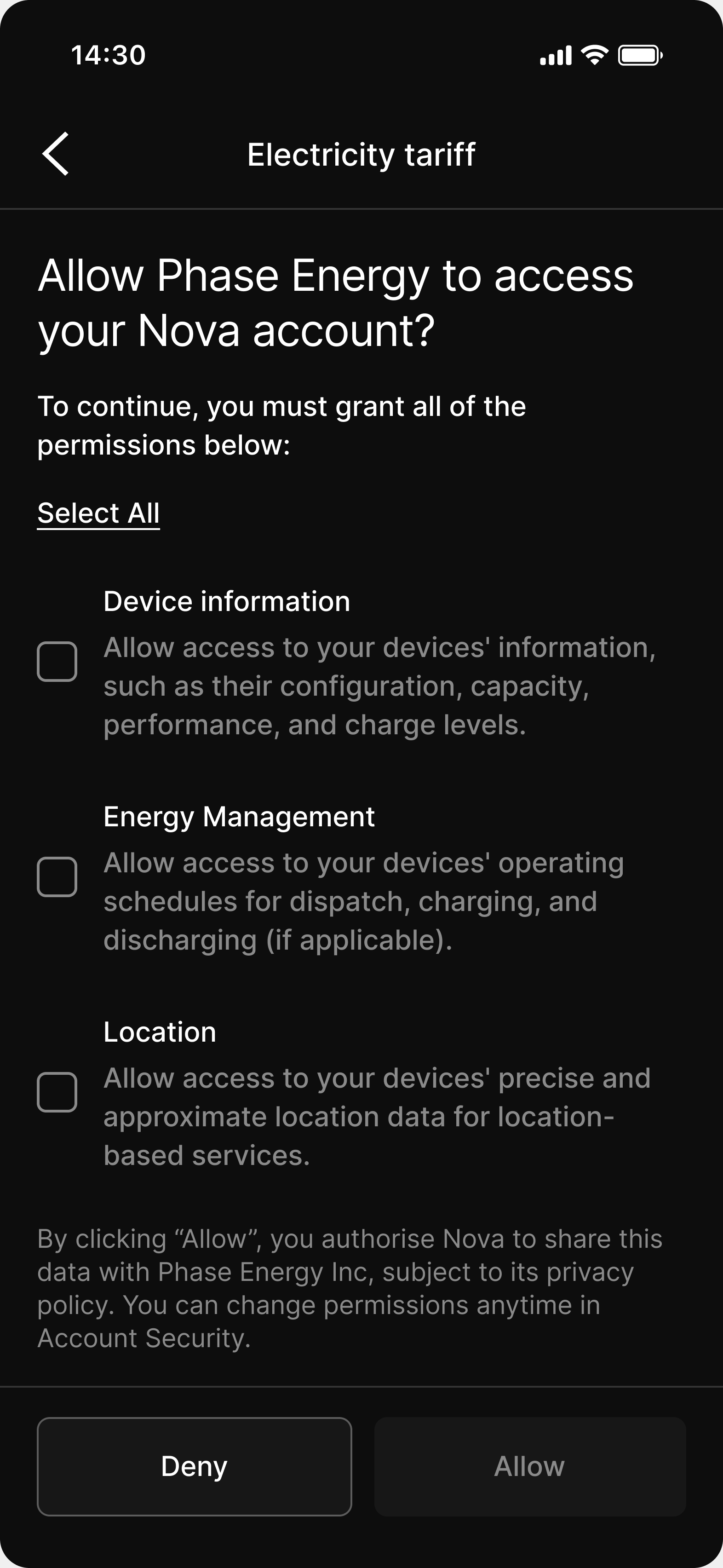
The consent screen shows your trading name, legal name and terms link